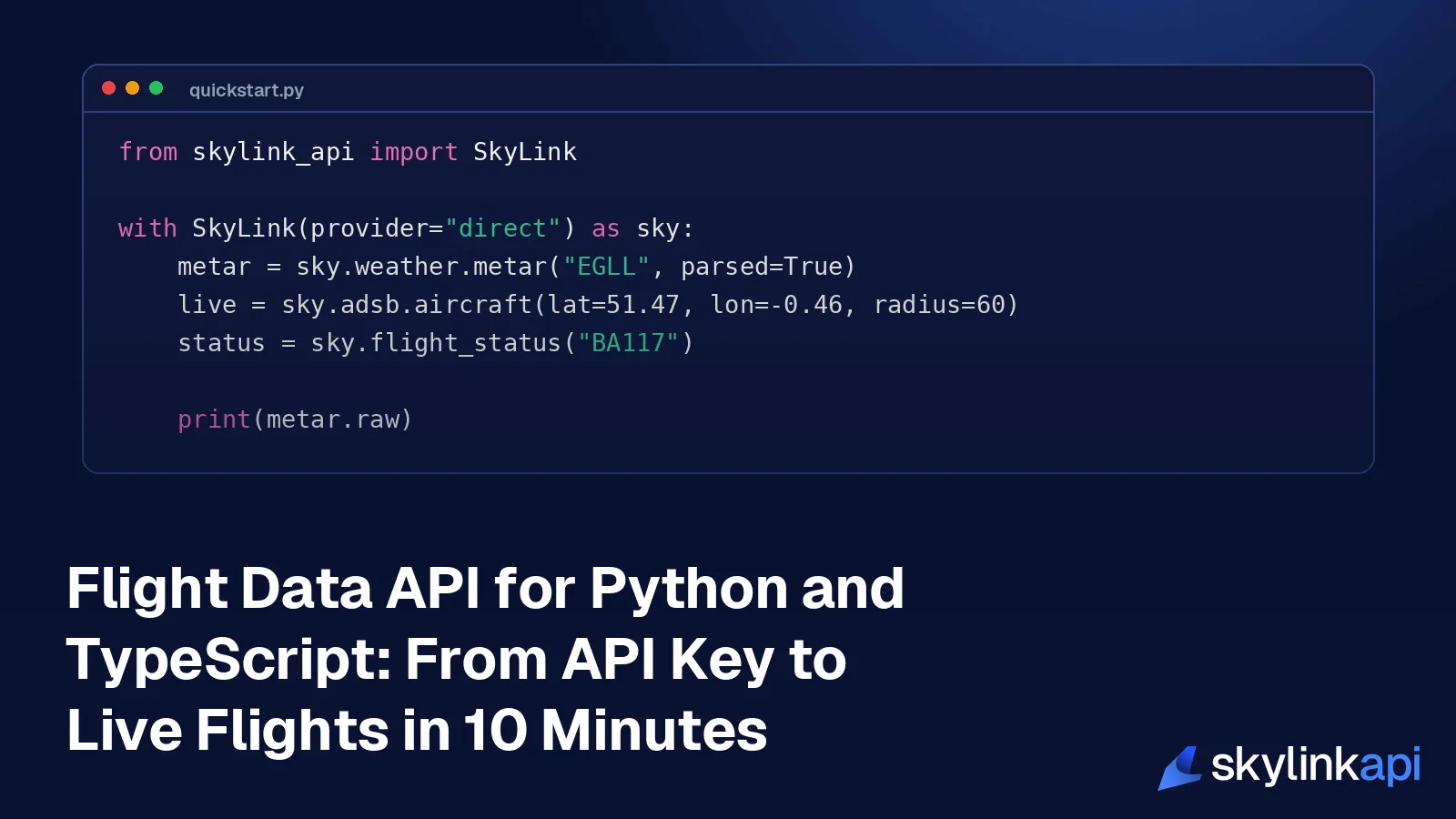
This guide takes you from nothing to working flight data in about ten minutes. By the end you'll have an API key, an installed SDK, and code that fetches airport weather, live aircraft positions and the status of a flight, in Python or TypeScript. The second half covers what you need before you ship: what each call costs against your quota, how errors and retries behave, and the handful of traps that catch most new integrations.
SkyLink publishes two official SDKs, both named skylink-api: one on PyPI for Python and one on npm for TypeScript and JavaScript. They wrap the same REST endpoints, return typed objects, and handle retries for you. You don't have to use them, and there's a plain HTTP example further down, but they remove most of the code you'd otherwise write yourself.
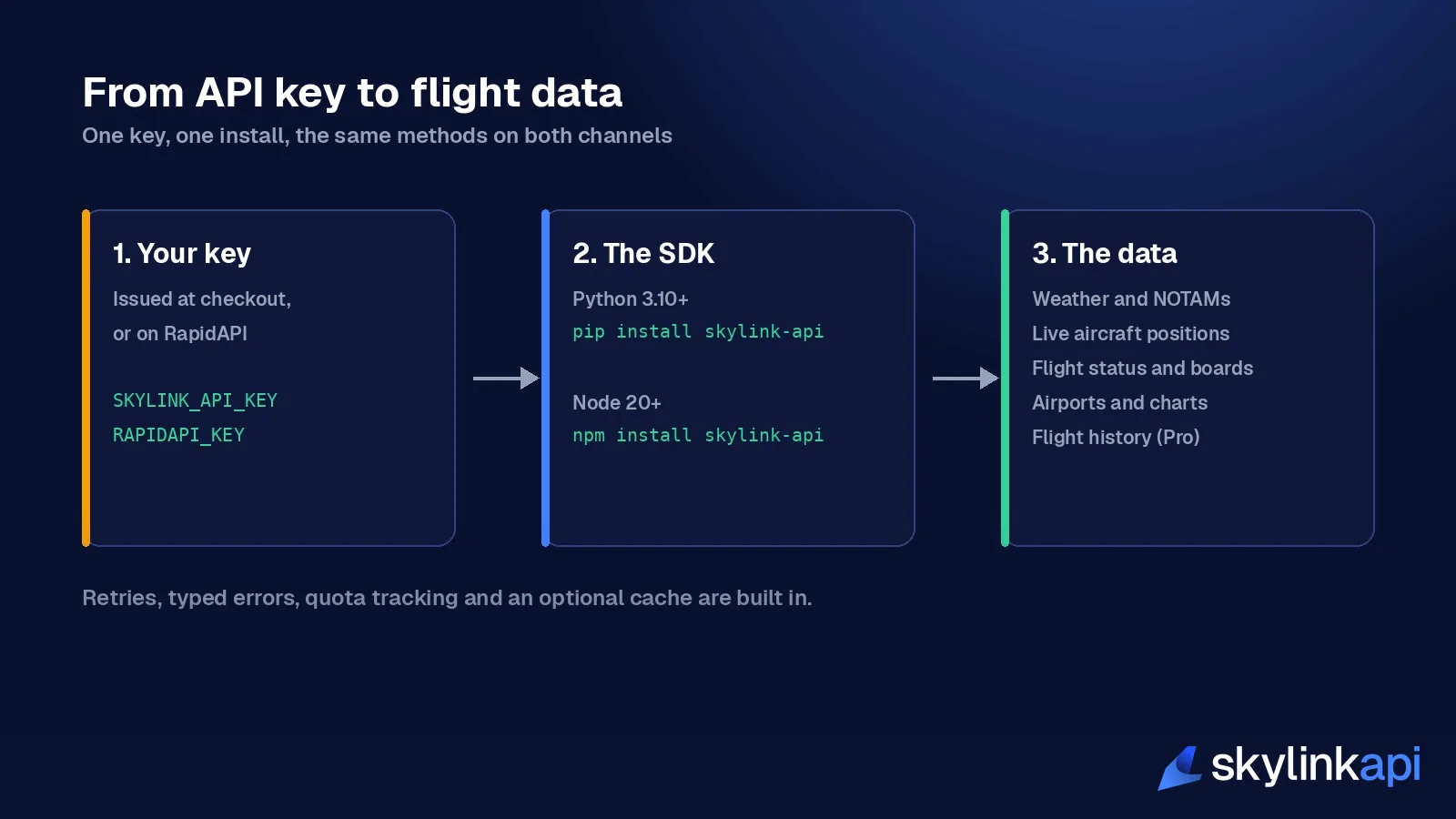
Step 1: get a key
SkyLink is sold through two channels, and the key you get depends on which you use:
| Direct | RapidAPI | |
|---|---|---|
| Where to buy | SkyLink pricing page | The SkyLink listing on RapidAPI |
| Base URL | https://data.skylinkapi.com/v3.1 | https://skylink-api.p.rapidapi.com |
| Auth header | x-api-key | X-RapidAPI-Key and X-RapidAPI-Host |
| SDK setting | provider="direct" | the default |
The data is the same on both. RapidAPI vs direct covers the differences in billing and quotas if you haven't chosen.
There are two self-serve plans. Basic is $19 a month for 5,000 requests, and Pro is $59 a month for 20,000 requests, plus webhooks and 90 days of flight history. Yearly billing lowers those to $16 and $49 a month. When you buy direct, your key is shown on the confirmation page and emailed to you. There's also a Free Trial of 1,000 requests a month, available by application for personal, non-commercial projects.
Put the key in an environment variable. Don't paste it into code:
export SKYLINK_API_KEY="your-key"      # direct
export RAPIDAPI_KEY="your-key"         # RapidAPI
Step 2: install the SDK
pip install skylink-api        # Python 3.10 or newer
npm install skylink-api        # Node 20 or newer, or Bun, Deno, Cloudflare Workers
The Python client depends on httpx and pydantic. The TypeScript client has no runtime dependencies and uses the platform's own fetch.
Step 3: make your first three calls
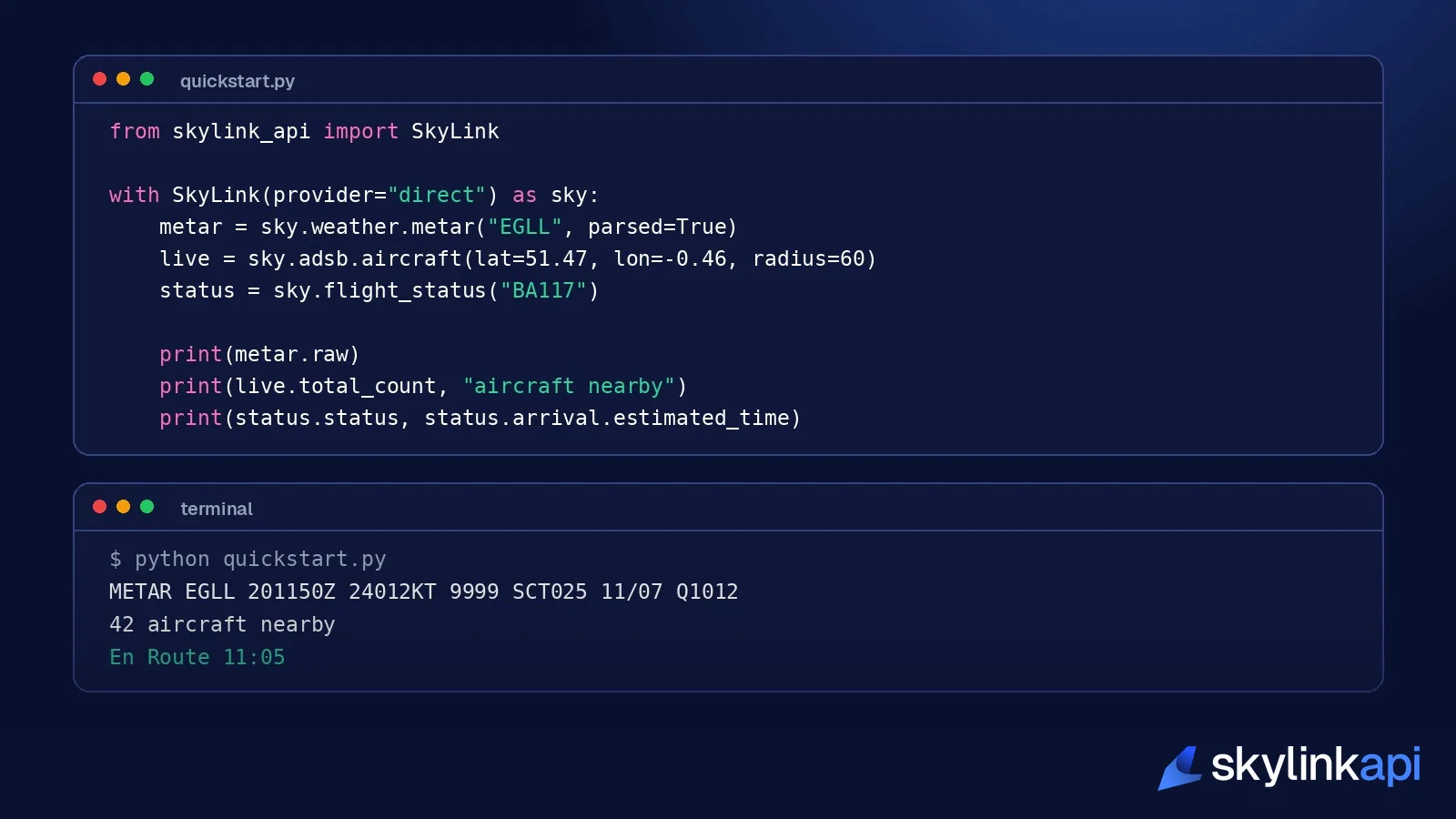
These three calls cover the things most products start with: the weather at an airport, the aircraft near it, and the status of one flight.
In Python:
from skylink_api import SkyLink, helpers
from skylink_api.helpers.weather import flight_category

with SkyLink(provider="direct") as sky:          # reads SKYLINK_API_KEY
    metar = sky.weather.metar("EGLL", parsed=True)
    print(metar.raw)
    print(flight_category(metar))                 # 'VFR', 'MVFR', 'IFR' or 'LIFR'

    box = helpers.bbox_around(51.4706, -0.4619, radius_km=60)
    live = sky.adsb.aircraft(bbox=box)
    print(live.total_count, "aircraft within 60 km of Heathrow")
    for a in live.aircraft[:5]:
        print(a.callsign, a.altitude, a.ground_speed)

    status = sky.flight_status("BA117")
    print(status.status, status.arrival.estimated_time)
In TypeScript:
import { SkyLink } from "skylink-api";

const sky = new SkyLink({ provider: "direct", apiKey: process.env.SKYLINK_API_KEY });

const metar = await sky.weather.metar("EGLL", { parsed: true });
console.log(metar.raw, metar.parsed?.flight_rules);

const live = await sky.adsb.aircraft({ lat: 51.47, lon: -0.46, radius: 60 });
console.log(live.total_count, "aircraft within 60 km of Heathrow");

const flight = await sky.flightStatus("BA117");
console.log(flight.status, flight.arrival.estimated_time);
If you bought through RapidAPI, leave out provider and the SDK reads RAPIDAPI_KEY. Every method works the same way on both channels.
The first trap is here. The SDK's default channel is RapidAPI. If you bought direct and forget provider="direct", your key is sent to the wrong host and you get a 401. A direct key and a RapidAPI key are not interchangeable.
The method names follow the API's own structure: sky.weather, sky.adsb, sky.airports, sky.notams, sky.schedules, sky.history and so on, one namespace per section of the API reference. Response fields keep the names the API sends, so the docs and your editor's autocomplete agree.
What each call costs
Every request counts against your monthly allowance, so it helps to know what the convenience methods do underneath.
| You call | Requests used |
|---|---|
weather.metar, flight_status, adsb.aircraft | 1 each |
batch.metars([...]) | 1 per airport |
compose.airport_brief | up to 8 |
poll.flight_status | 1 per interval |
The client keeps the quota headers from the last response, so you can check where you stand at any time:
print(sky.last_rate_limit) # RateLimitInfo(limit=5000, remaining=4321, reset=...)One caveat on reading those numbers: on RapidAPI they track your monthly plan quota. On the direct channel they report a daily safety ceiling, not your monthly allowance, which you check in the customer portal. The rate limits page explains both.
There are also per-second limits: one request a second on the trial, two on Basic and ten on Pro. The SDK waits and retries when it hits them, so you rarely see them, but they're the reason the batch helper runs five requests at a time by default. On the trial or Basic, pass a lower concurrency.
Four things most products build first
An airport page
An airport page needs the airport record, current weather, the forecast, NOTAMs, delays, charts and both flight boards. That's eight endpoints. compose.airport_brief requests them in parallel and returns one object:
brief = sky.compose.airport_brief("EGLL", schedules_limit=5)
print(brief.airport.name)
print(brief.metar.raw if brief.metar else "no observation")
print(len(brief.notams.notams) if brief.notams else 0, "NOTAMs")
print(sorted(brief.errors))          # parts that failed, e.g. 'delays' outside the US
A part that fails comes back as None, with its error filed under the part's name, so one unavailable source doesn't take down the page. FAA delay data only exists for US airports, so for Heathrow delays will always be in errors. To avoid paying for parts you don't show, ask only for what you need:
lean = sky.compose.airport_brief("EGLL", include={"airport", "metar", "taf"})That's three requests instead of eight.
Tracking one flight
poll.flight_status asks again on a timer and only gives you a result when something changed. It stops by itself when the flight lands or is cancelled:
for status in sky.poll.flight_status("BA117", interval=120):
    print(status.status, status.arrival.estimated_time)
Every two minutes is plenty, because the underlying times don't change faster than that. A ten-hour flight at that interval is about 300 requests. On Pro you can avoid polling altogether with webhooks, and our flight status API guide covers the response fields in detail.
In TypeScript the same loop is an async iterator, with the interval in milliseconds:
for await (const status of sky.poll.flightStatus("BA117", { interval: 120_000 })) {
  console.log(status.status, status.arrival.estimated_time);
}
Weather for many airports
The API takes one airport per request. The batch helper sends them concurrently and gives you one result per input, so a single bad code costs you one result, not the whole batch:
from skylink_api import SkyLinkError

reports = sky.batch.metars(["EGLL", "KJFK", "ZZZZ"])
for icao, report in reports.items():
    if isinstance(report, SkyLinkError):
        print(icao, "unavailable")
    else:
        print(icao, report.raw)
Analysis in pandas
For notebooks and analysis, install the optional extra with pip install "skylink-api[pandas]" and turn any list-shaped response into a DataFrame:
from skylink_api.pandas_ext import to_dataframe

frame = to_dataframe(live)
print(frame[["callsign", "altitude", "ground_speed"]])
The same call works on schedules, NOTAMs, navaids and historical tracks. Counting flights at an airport shows the kind of analysis that opens up.
Errors and retries
The SDK retries 429 responses, server errors and network failures up to three times, with a growing delay between attempts. It never retries a 401, 403, 404 or 422, because a repeat would get the same answer.
What reaches your code is a typed exception:
from skylink_api import NotFoundError, RateLimitError

try:
    sky.weather.metar("ZZZZ")
except NotFoundError:
    print("no such airport")
except RateLimitError as err:
    print("slow down, retry in", err.retry_after)
    raise
import { APIStatusError, NotFoundError, RateLimitError } from "skylink-api";
try {
await sky.weather.metar("ZZZZ");
} catch (error) {
if (error instanceof NotFoundError) {
console.log("no such airport");
} else if (error instanceof RateLimitError) {
console.error(`retry in ${error.retryAfter} ms`);
} else if (error instanceof APIStatusError) {
console.error(error.status, error.message);
} else {
throw error;
}
}The errors worth handling by name are AuthenticationError (wrong or missing key), PermissionDeniedError (your plan doesn't include the endpoint, for example flight history on Basic), NotFoundError and RateLimitError. The full list is in the error handling docs.
Not every miss is an error, though. An aircraft lookup for a registration that isn't in the database returns a normal response with found set to false. Check the field before you read the aircraft.
Caching, the cheapest way to cut your bill
Most aviation data doesn't change every second. A METAR is issued once or twice an hour, and an airport record changes a few times a year. The SDK has a cache that's off by default and that you switch on per kind of call:
from skylink_api import MemoryCache, SkyLink

cache = MemoryCache(ttls={"weather.metar": 300, "airports.*": 86_400})
with SkyLink(provider="direct", cache=cache) as sky:
    sky.weather.metar("EGLL")       # network
    sky.weather.metar("EGLL")       # served from the cache, no request used
    sky.on_quota_low(lambda info: print("quota low:", info.remaining), threshold=0.1)
The times are in seconds in Python and in milliseconds in TypeScript. Live aircraft positions are deliberately left out, because a cached position is a wrong position. on_quota_low calls your function once when the remaining allowance drops below the share you set, which makes a good hook for an alert.
If many users look at the same airports, a five-minute cache on weather alone can cut your request count several times over.
Async, when you need many calls at once
For a web backend, use the async client. It has the same methods, awaited:
import asyncio
from skylink_api import AsyncSkyLink

async def main():
    async with AsyncSkyLink(provider="direct") as sky:
        metar, traffic = await asyncio.gather(
            sky.weather.metar("EGLL"),
            sky.adsb.aircraft(lat=51.47, lon=-0.46, radius=75),
        )
        print(metar.raw, traffic.total_count)

asyncio.run(main())
Create one client and share it across your application. Each client keeps its own connection pool, so making one per request wastes connections.
Using another language
The API is plain HTTPS and JSON, so anything that can send a header works. On the direct channel:
curl "https://data.skylinkapi.com/v3.1/weather/metar/EGLL?parsed=true" \
  -H "x-api-key: $SKYLINK_API_KEY"
The OpenAPI specification is public at https://api.skylinkapi.com/v3.1/openapi.json if you want to generate a client for Go, Java, C# or anything else. If you're wiring flight data into an AI assistant instead of an app, the MCP server tutorial covers that route.
Six traps that catch new integrations
- The default channel is RapidAPI. Direct customers must pass
provider="direct". - Never put the key in a browser or mobile app. Anyone can read it there. Call SkyLink from your server and send your own front end the result.
- ADS-B radius is in kilometres, not nautical miles. The helpers module has converters.
- Empty strings mean "not published yet". A gate of
""on a flight status is normal hours before departure. Show a dash. - Briefings are slow.
briefing.flightandbriefing.pdfare written by a language model and can take a minute or more. The SDK gives them a longer timeout by itself, but don't call them in a page load. - Flight history needs Pro. The
sky.historymethods return a permission error on Basic and on the trial.
Both SDKs are at version 0.1, so pin the version you install and check the release notes before you upgrade.
Which plan do you need?
Count requests per user action, then multiply. Some typical shapes:
| What you're building | Roughly | Plan |
|---|---|---|
| A personal project or prototype | Under 1,000 requests a month | Free Trial, by application |
| A weather widget for 5 airports, refreshed every 30 minutes, 12 hours a day | About 3,600 a month | Basic |
| Tracking 30 flights a month from departure to arrival | About 4,500 to 9,000 a month | Basic or Pro |
| A live map refreshing every 30 seconds, 8 hours a day | About 29,000 a month | Pro, with about $9 of overage |
| Anything using flight history or webhooks | Pro |
Above about 10,700 requests a month, Pro is cheaper than Basic with overage. Past 200,000, Enterprise contracts add volume pricing and a service level agreement.
Where to go next
- The getting started docs cover both channels step by step, and the v3.1 reference lists every endpoint.
- Build a real-time flight tracker and build a delay notification system are complete projects to copy from.
- The flight data API guide explains the data types and where each comes from.
- The pricing page has the current plans. A paid plan's key is issued at checkout, so you can be making your first request a few minutes from now.